
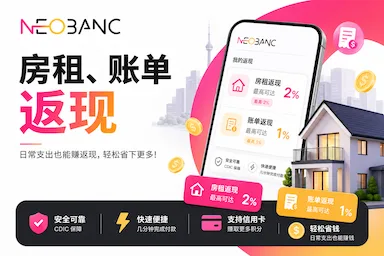
【September 29, 2026 update】 A 24-hour promotion runs from 3:30 p.m. ET on September 29 to 3:30 p.m. ET on September 30.
We’re closing out the month with a bang. From 3:30 PM ET on Tuesday, September 29 to 3:30 PM ET on Wednesday, September 30, all bill payments made on Neobanc earn 2× cashback — automatically.
Rent, utilities, phone, internet, credit cards — if you’ve got a bill coming up, this is the perfect time to pay it. No limit on the payment value. Same bills you were going to pay anyway, twice the rewards.
[August 2026 update 2] Neobanc plans to launch a paid subscription costing $200 per year. Subscribers will receive:
- Lower processing fees: for example, from 1.50% to 1.40%; other cash-back tiers such as 2% and 5% will also have their processing fee reduced by 0.10 percentage points. The more you use Neobanc, the less you pay.
- Double bill-payment cash back: up to an additional $15 per month on eligible bill payments.
- Double gift-card cash back: up to $10 per month.
- Members-only cash-back promotions during the year.
- Additional credit-related features.
[August 2026 update] Paying utility bills through Neobanc with the Scotia Momentum Visa Infinite earns 4% cash back from the card. Neobanc adds 1% cash back.
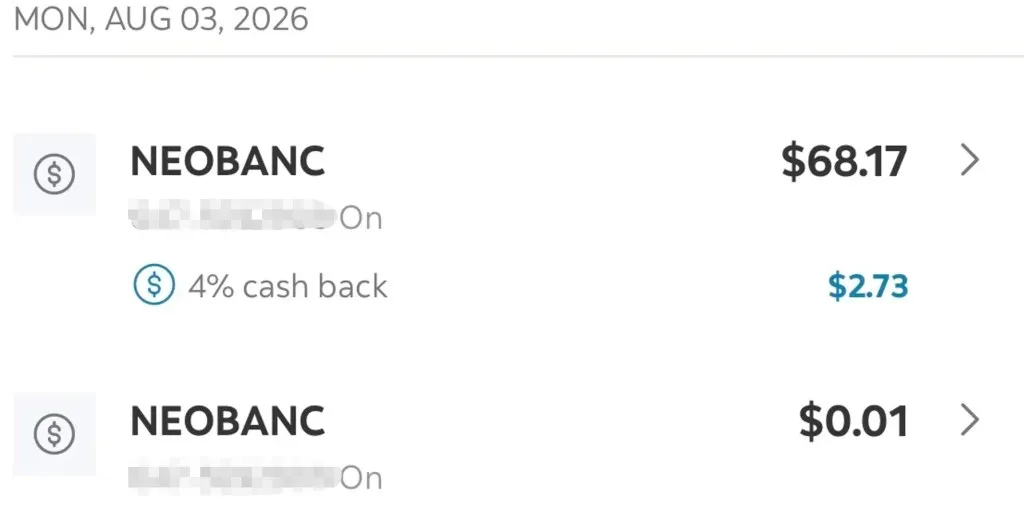
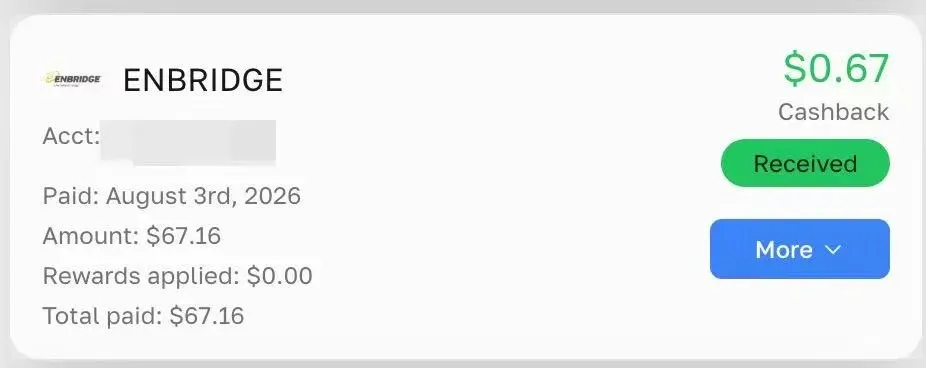
Neobanc is a Canadian fintech focused on cash back for rent, bills, mortgages, and gift cards. After using Neobanc for more than two months, this guide reviews how the platform works and how it can produce cash back when you pay rent, bills, and other expenses.
Register through a blog referral link for a $100 reward
Referral link 1 🔗
Referral link 2 🔗
Earn cash back by paying through Neobanc
Neobanc prominently advertises “Cashback on all Your Expenses.” If a bill can be added as a payee, it generally earns 1% cash back; Moomoo did not work in the author’s testing.
- Regular bills, including utilities and credit-card bills: 1% cash back
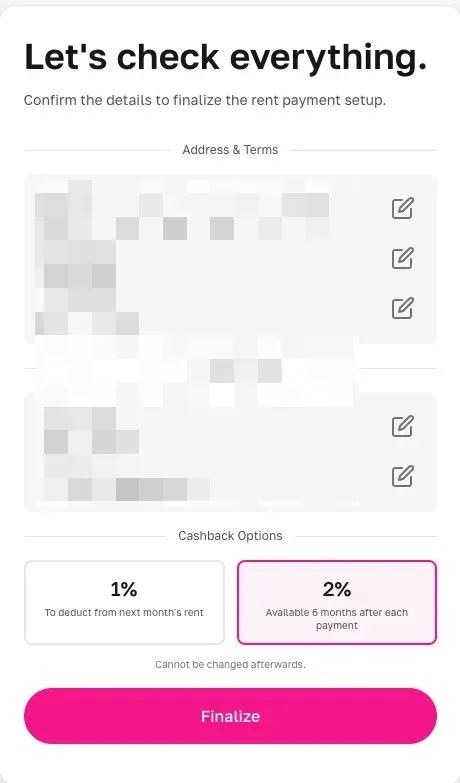
- Rent: choose one of two reward modes:
- 1% immediate cash back: available right away
- 2% locked cash back: available after a six-month holding period (the old 5% era is over, but the lock period is shorter than the previous 12 months)
- Mortgage: 0.5% cash back
Funding methods and fees
- E-transfer: no funding fee
- Credit cards: Visa, Mastercard, and Amex cards, whether Canadian or foreign-issued:
- Choose 1% cash back and pay a 1.5% fee.
- Choose 2% cash back and pay a 2.25% fee.
Which credit cards work well?
If you choose the 1% option, the net Neobanc cost is approximately 1.5% − 1.0% = 0.5%. High-cash-back cards or cards with a welcome-bonus spending requirement can therefore be useful:
- PPP (PayPower Prepaid Digital Card): 5% or 6% cash back less a 1.4% fee, for an approximate net 3.6% or 4.6% return.
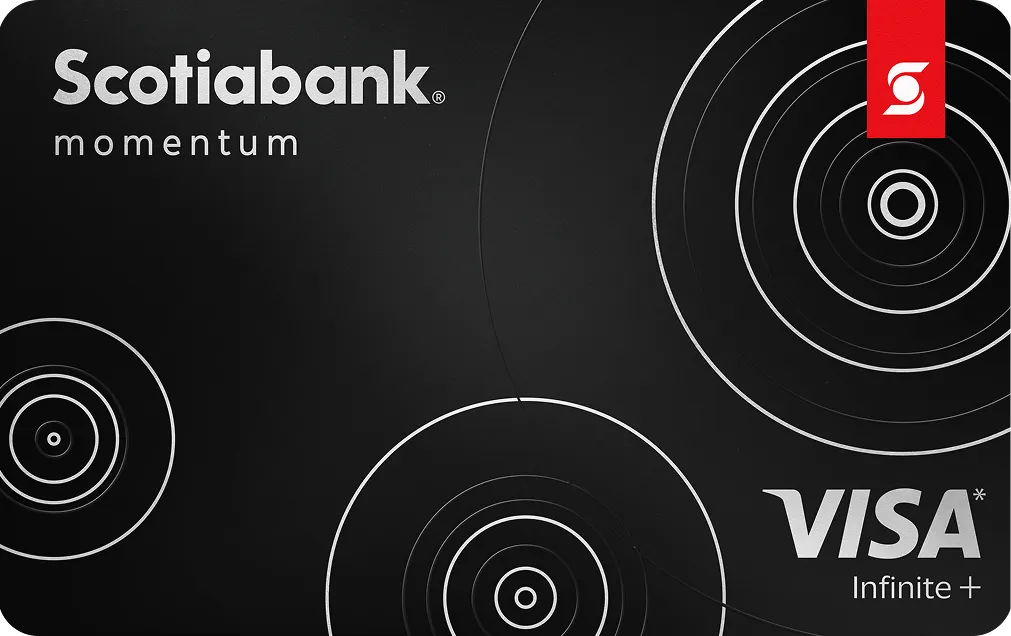
- 🇨🇦 Scotiabank Momentum Visa Infinite: 4% cash back.
- 🇨🇦 Rogers Red World Elite Mastercard and 🇨🇦 Rogers Red World Legend Mastercard: 2% on spending and 3% when redeemed against Rogers purchases under the former rules.
- 🇺🇸 Bank of America Atmos Rewards Summit Visa Infinite: 3 miles per dollar, or 3.3 miles per dollar with a Bank of America checking relationship.
Which payments can use a credit card?
| Payment type | Credit card allowed? | Notes |
|---|---|---|
| Regular bills (utilities/hydro) | Yes | 1.5% credit-card fee |
| Rent | Yes | 1.5% fee for 1% cash back, or 2.25% fee for 2% cash back |
| Mortgage | No | Debt payments must use e-Transfer or another non-card method |
| Credit-card payment | No | Debt payment; Interac e-Transfer is required |
New-user benefit: $100 reward
New users who register through a referral link can receive an additional $100 reward.
The $100 is credited in instalments. Each time you use Neobanc to pay more than $1,000 in bills or rent, the platform credits $10 until the full $100 has been received.

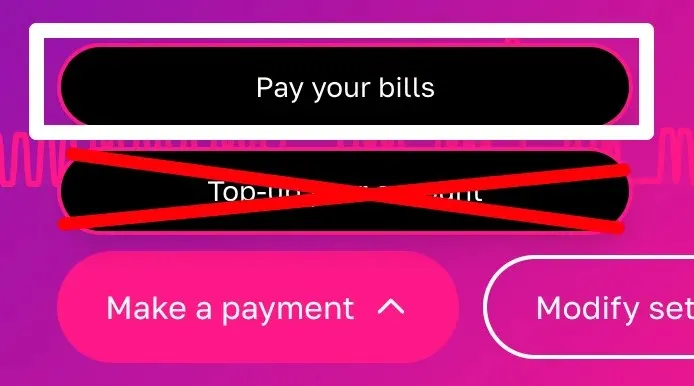
⚠️ Important: Do not use “Top up your account” to deposit money in advance. Choose “Pay your bills” and complete payments one by one to receive the reward.
Advanced strategy: the payment loop
One strategy uses transfers between platforms:
- Chequing account → fund Neobanc
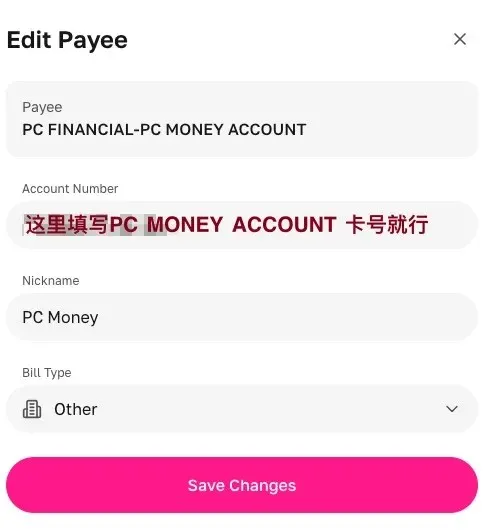
- Neobanc → pay PC Money as a payee (PC Money recently offered a $150 new-account reward; referral code:
XL58440877) - PC Money → transfer the money back to the chequing account
Recent timing reported by the author:
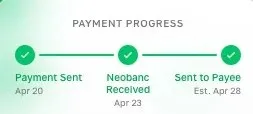
- April 20: e-Transfer into Neobanc
- April 23: Neobanc payment to PC Money
- April 28: PC Money showed the $1,000 transfer from April 23

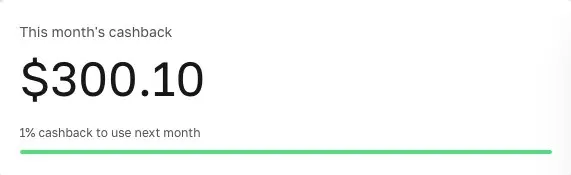
Using this loop, the author received $200 in cash-back rewards that month, in addition to occasional credit-card-bill payments.

The author also tested PC Money → Neobanc → PC Money and found that it worked.
A reminder
Although the rewards can be attractive, use caution. Platform rules change frequently. Start with a small amount, confirm the cash-back and settlement process, and only then consider larger payments.
Related reading:
Comments
Comments from a new email are reviewed before they appear.