
On October 2, 2026, Wealthsimple officially announced the launch of Kids and Teens Chequing. Its product page and Help Centre articles were updated at the same time, making the full feature details public. This article takes a detailed look at the new account.
💡 For a complete introduction to Wealthsimple, one of Canada’s leading investing and money-management platforms, see our guide:
The Youth Account at a Glance
| Feature | Details |
|---|---|
| Account type | Chequing account structured as a bare trust |
| Monthly fee | $0 |
| Interest | Up to 2.25% (Core 1.25% / Premium 1.75% / Generation 2.25%); annual rates, calculated daily and paid monthly |
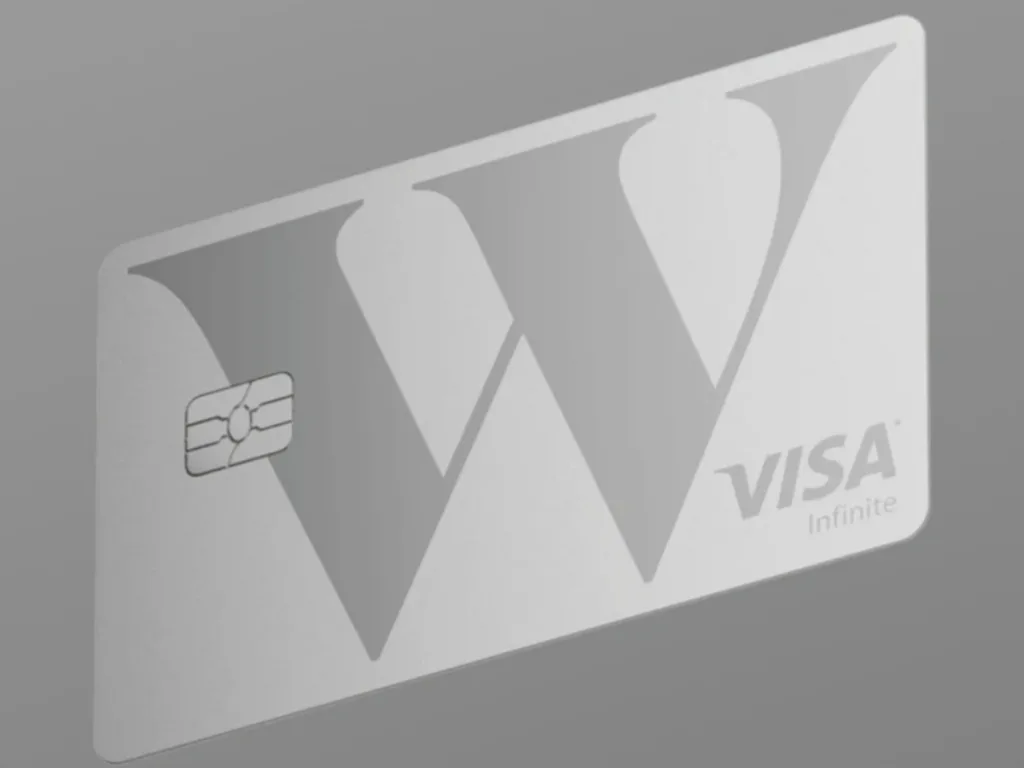
| Card | Kids and Teens Visa prepaid card: virtual card issued instantly at account opening; physical card available to order for free |
| Foreign exchange fee | None (0%) |
| ATM fees | Reimbursed worldwide |
| Account opening | Only in the Wealthsimple app; takes a few minutes, with no need to dig out your child’s birth certificate |
| Parent eligibility | Existing client who has completed identity verification, has a Chequing account, and is the child’s legal guardian |
| Who it is for | Children below the age of majority in their province (18 or 19); each parent can link up to 10 kids accounts |
| Regional restriction | Not yet available in Quebec |
1. Account Structure: A Bare Trust
The kids account is legally a bare trust:
- The parent is the legal account holder and trustee, with full control over the account.
- The child is the beneficial owner of the money, rather than the legal account holder.
- Account statements and year-end T5 tax slips are issued as “[Parent’s Name] ITF [Child’s Name]”. ITF means “in trust for.”
In other words, the parent legally holds and fully controls the account, but the money belongs to the child. As trustee, the parent must act in the child’s best interests.
2. Eligibility
- The parent must be an existing Wealthsimple client who has completed identity verification and has an open Chequing account. Wealthsimple explains that without it, you cannot send your child money or follow their account activity.
- The account must be opened for a child who has not reached the age of majority in their province, which is either 18 or 19.
- Each kids account can be linked to one parent or guardian, while each parent can link up to 10 kids accounts.
- Quebec residents cannot open an account yet. Wealthsimple is working on availability and will announce updates.
- The child does not need to provide identification or complete identity verification.
- Opening and managing the account is only available in the Wealthsimple app, with no desktop-web option at this time.
3. How to Open an Account: About 11 Steps in the App
- Log in to the Wealthsimple app.
- From the Home tab, scroll down to Accounts.
- Tap the + button.
- Select Open a new account.
- Scroll down and tap Kids and teens chequing.
- Tap Open account.
- Enter your child’s name and date of birth.
- Enter what your child usually calls you.
- Choose whether to order a card for your child now or leave it for later.
- If ordering a card, follow the prompts to enter a mailing address.
- Read and accept the youth chequing agreements, then tap Confirm.
A virtual card is issued automatically when the account opens. You can order a physical card for free now or later and have it mailed to your home. Card setup also includes a few optional steps: adding it to Apple Wallet, personalizing the virtual card’s icon, and setting spending controls.
You are not required to create a login for your child when opening the account. You can manage everything yourself first and add their login later (see Section 8).
4. Interest: Your Child Gets Your Tier, and You Can Add a Top-Up
Kids accounts earn the same tiered interest rates as Wealthsimple Chequing accounts. Rates are annualized, calculated daily, and paid monthly; Wealthsimple reserves the right to change them.
| Client tier | Interest rate |
|---|---|
| Core (total assets < $100,000) | 1.25% |
| Premium (total assets $100,000+) | 1.75% |
| Generation (total assets $500,000+) | 2.25% |
The distinctive feature is parent-paid interest: you can use your own money to pay extra interest on your child’s savings, giving them a practical lesson in how money can earn more money. Their account view clearly separates interest paid by Wealthsimple from interest paid by you, showing the amount and rate for each.
5. The Card: Kids and Teens Visa Prepaid
| Feature | Details |
|---|---|
| Card type | Visa prepaid card, issued under licence by Wealthsimple Payments Inc. |
| Virtual card | Issued instantly at account opening; can be added to a mobile wallet |
| Physical card | Optional; free to order and have mailed; supports ATM withdrawals |
| Foreign exchange fee | None (0%) |
| ATM fees | Reimbursed worldwide |
| Maximum purchase amount | $999 per transaction |
| ATM withdrawal limit | $999 per interval |
| Physical-card tap limit | $250 |
| Cash back | None |
| Credit history | Does not build credit, since it is a prepaid card |
Wealthsimple’s product page takes a direct swipe at the big banks’ youth products: interest of up to 2.25% versus 0.01%–0.4%, worldwide ATM fee reimbursement versus fees of up to $5, and 0% foreign exchange fees versus a typical 2.25%. But, like the debit card for its regular account, this card does not earn cash back on purchases.
6. Permissions: What Your Child Can Do and What You Can Do
| Your child can | You can |
|---|---|
| Log in independently through the app or website to view their balance and transaction history | Open the account and manage your child’s account and profile |
| Make everyday purchases with the prepaid card, either physically or through Apple Pay / Google Pay | View the balance, transaction history, and upcoming transfers |
| Freeze the card, view the card number / expiry date / CVV, and view or change the PIN | Send one-time transfers and set up a recurring allowance |
| Request money from you | Approve or decline your child’s money requests |
| Manage personal settings, including notifications and login options | Set all parental controls, including spending limits and category restrictions |
| Lock or unlock the card and manage the PIN |
Your child cannot change account settings, spend beyond the limits you set, or unlock a locked card. Those actions remain under your control.
7. Co-Manager: A Second Adult
Each kids account can have one co-manager in addition to the primary parent:
- They do not have to be the child’s other legal parent or guardian. Any trusted adult can help, but they must be a Wealthsimple client who has completed identity verification. If they do not have a Chequing account, they will be guided through opening one before accepting the invitation.
- They are an authorized user, not a co-trustee. The primary parent remains the legal account holder and trustee, and the child remains the beneficiary.
- They can move money into and out of the kids account using their own individual or joint accounts, view account activity, and set spending limits and controls.
- They cannot close the account, add or remove people, manage the child’s interest, or access money in the primary parent’s individual accounts.
- They cannot change an allowance or automatic transfer already set up by the primary parent, because those payments come from the primary parent’s account. They can, however, create a new allowance funded from their own account.
- When accepting the invitation, they can choose a nickname such as “Mom,” which appears in the child’s app (“Mom sent you…”).
- Removal: Only the primary parent can remove a co-manager, at any time. The co-manager immediately loses access and receives a notification.
8. Your Child’s Login: App Versus Website
- You do not have to create your child’s login when opening the account. A temporary card on the app’s Home screen reminds you to finish two tasks: create your child’s login and add a co-manager. You can dismiss it with the X and complete either task later in account settings.
- Only the primary parent can create the child’s login, and this must be done in the app.
- Your child logs in with an email address, password, and a six-digit verification code sent to their email.
- The website lets your child view the account, but not move money: They can see the balance and growth chart, the breakdown of interest paid by Wealthsimple and by their parent, transaction history, and card details. They can also lock the card or change their password. Adding money, transferring money, and requesting money are only available in the app.
- Exception: e-Transfer. Some children aged 13 and older can already send and receive Interac e-Transfer transactions from their own account, through both the app and website (see Section 10).
- App-only features: Changing the card PIN, requesting money from a parent, and signing in quickly with a fingerprint or facial recognition.
- Website-only feature: Switching the display language.
- App age ratings are 13+ in Apple’s App Store and E (Everyone) on Google Play. For younger children, parents can approve the download through Apple Family Sharing’s Ask to Buy feature.
9. Parental Controls in Detail
- Spending limits: Set caps per transaction, per day, per week, or per month.
- Category restrictions: Block specific transaction categories, such as gaming.
- Real-time notifications: Receive a push notification whenever your child makes a purchase.
- Card locking / unlocking and PIN management remain under the parent’s control.
- ⚠️ Parental controls do not yet cover e-Transfer: you cannot turn your child’s e-Transfer sending or receiving on or off, or block specific recipients. Wealthsimple says these controls are coming soon. All e-Transfer transactions appear in Recent activity, visible to both you and your child.
10. Moving Money and Setting an Allowance
- You can instantly transfer money from your own Wealthsimple Chequing account to your child’s account.
- Set up an automatic recurring allowance, teaching your child that good things are worth waiting—and saving—for.
- Your child can request money from you in the app, and you approve the request.
- Funding primarily comes from transfers from the parent’s individual Chequing account. Interac e-Transfer is rolling out in stages: the Help Centre confirms that some children aged 13 and older can already send and receive e-Transfers from their own account. The per-transaction limit is $999, with account sending limits of $5,000 per 24 hours, $10,000 per seven days, and $30,000 per 30 days. It is available through both the app and website; parents cannot send or receive on the child’s behalf through their own account. The product page still lists it as coming soon, indicating that it is not yet available to everyone.
- Direct deposit and higher transfer / spending limits are still listed as coming soon.
11. Taxes
- Account statements and year-end T5 slips are issued as “[Parent’s Name] ITF [Child’s Name].”
- Attribution rules:
- If the money was gifted by a parent or grandparent, the interest is generally reported on the contributing adult’s tax return.
- If it is the child’s own money, such as employment income, Canada Child Benefit payments, or an arm’s-length gift, attribution does not apply and the child generally reports the interest.
- Wealthsimple notes that a T3 filing may be required and recommends consulting a tax professional.
12. Restrictions and Things to Keep in Mind
- Accounts are not yet available to open in Quebec. An existing account remains open if you move to Quebec, but you cannot open a new one. The same applies if your child moves to Quebec.
- Opening and managing the account requires the app. Your child can view the account on the website, but cannot move money there, except through e-Transfer: children with access to the feature can send and receive e-Transfers on the website.
- The card does not earn cash back or build credit history.
- Children cannot contact Wealthsimple support directly: Support will not assist children directly or take action on an account at a child’s request. Your child can browse the Help Centre independently, but a parent must contact support for account-related matters.
- Kids accounts themselves are currently ineligible for Wealthsimple promotions, referral rewards, or bonuses.
- When your child reaches the age of majority, the account does not change immediately and can continue to be used normally. It can later transition to a full account. Age eligibility is based on the province where your child lived when the account was opened.
- Wealthsimple may close an account if its terms are breached, the account is misused, or keeping it open is no longer in the child’s best interests. You can also close it yourself at any time.
13. Referral Reward: $25 for an Adult’s New Account
The announcement email also promotes Wealthsimple’s referral program: refer an adult who joins Wealthsimple and makes at least $100 CAD in net deposits, and you each receive $25 in cash. Key conditions under the terms effective June 8, 2026:
- The referrer must send the invitation within the 30-day referral window.
- The referred person must sign up through the referral link and deposit at least $100 CAD within the window, or apply the referral code to an account that received its first deposit within the past seven days.
- Both people must have reached the age of majority and be Canadian residents.
This is the general referral program for adults opening accounts. Kids accounts themselves do not qualify for promotions or referral rewards. Use the blog’s referral code IBVGUG when signing up to receive $25.
My Take
Big-bank kids accounts pay 0.01%–0.4% interest and still charge fees. Wealthsimple’s combination of no monthly fee, up to 2.25% interest, worldwide ATM fee reimbursement, no foreign exchange fee, and full parental control is appealing for Canadian families. Parent-paid interest also turns financial education into an actual product feature. The limitations are clear: no new accounts in Quebec, app-only account management, e-Transfer is still rolling out while direct deposit remains coming soon, and kids accounts do not qualify for promotions. If you are a Premium or Generation client with a child below the age of majority, this is worth trying.
Other Wealthsimple Products
Alongside our general Wealthsimple guide, we publish separate articles whenever the company introduces an interesting new product or feature:


Comments
Comments from a new email are reviewed before they appear.