Tips: Buying Virgin Atlantic Flying Club Points Is Cheaper in Pounds
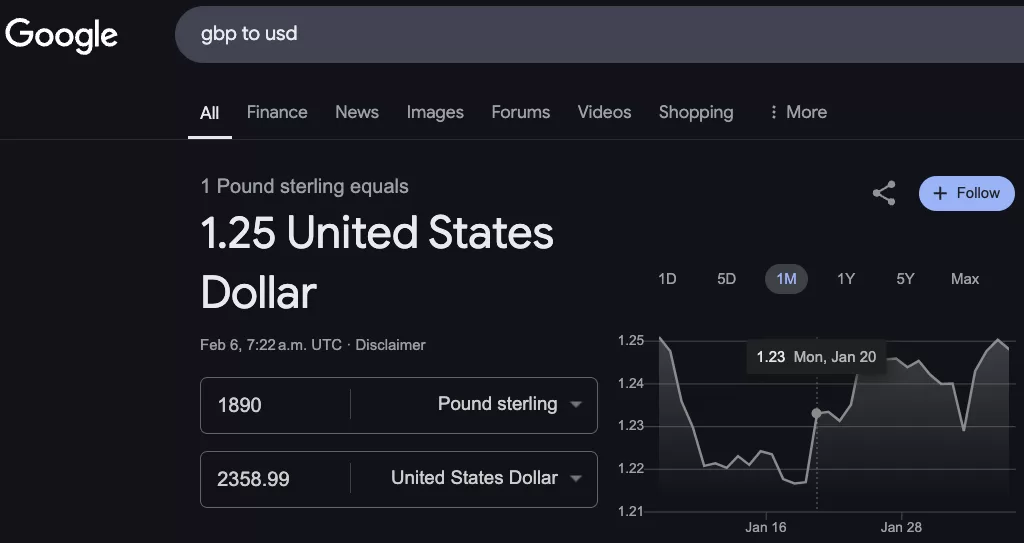
Change your Virgin Atlantic Flying Club account address to a UK address and pay in pounds: at the 5 February 2025 exchange rate, that cut the cost by 25% versus paying in US dollars.
Short version: change the address on your Virgin Atlantic Flying Club account to a UK address and pay in pounds. At the 5 February 2025 exchange rate, that saves 25% on the spot!
The promotion
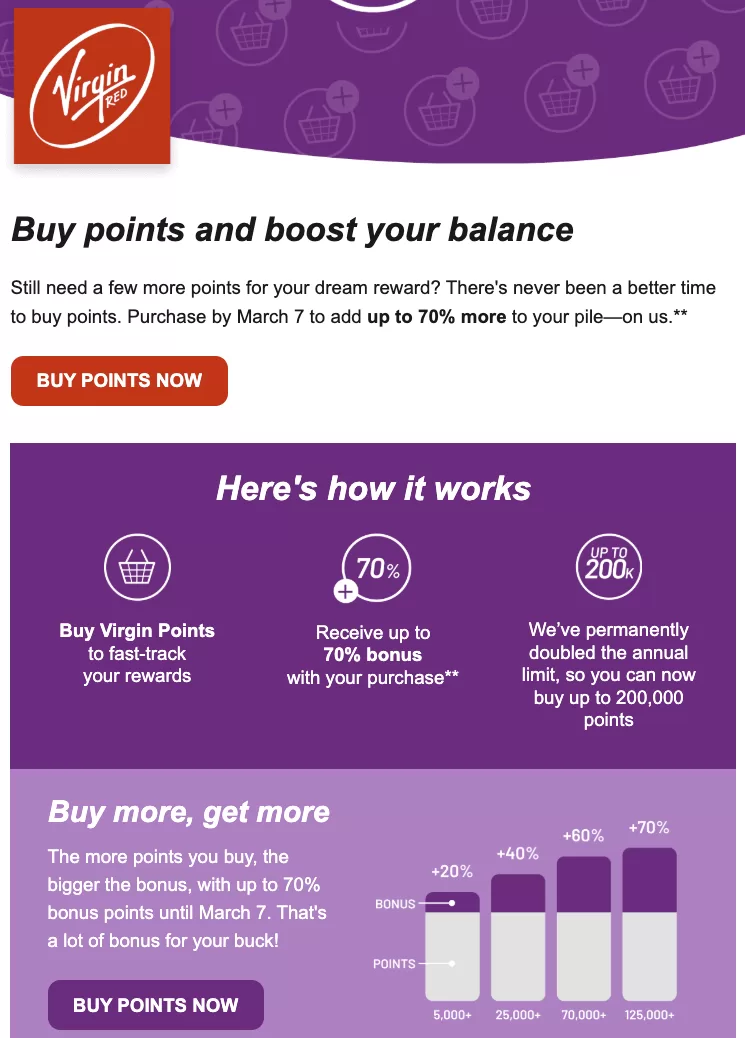
Buy Virgin Points before 7 March 2025 and you can get a bonus of up to 70%.
Paying in US dollars vs pounds
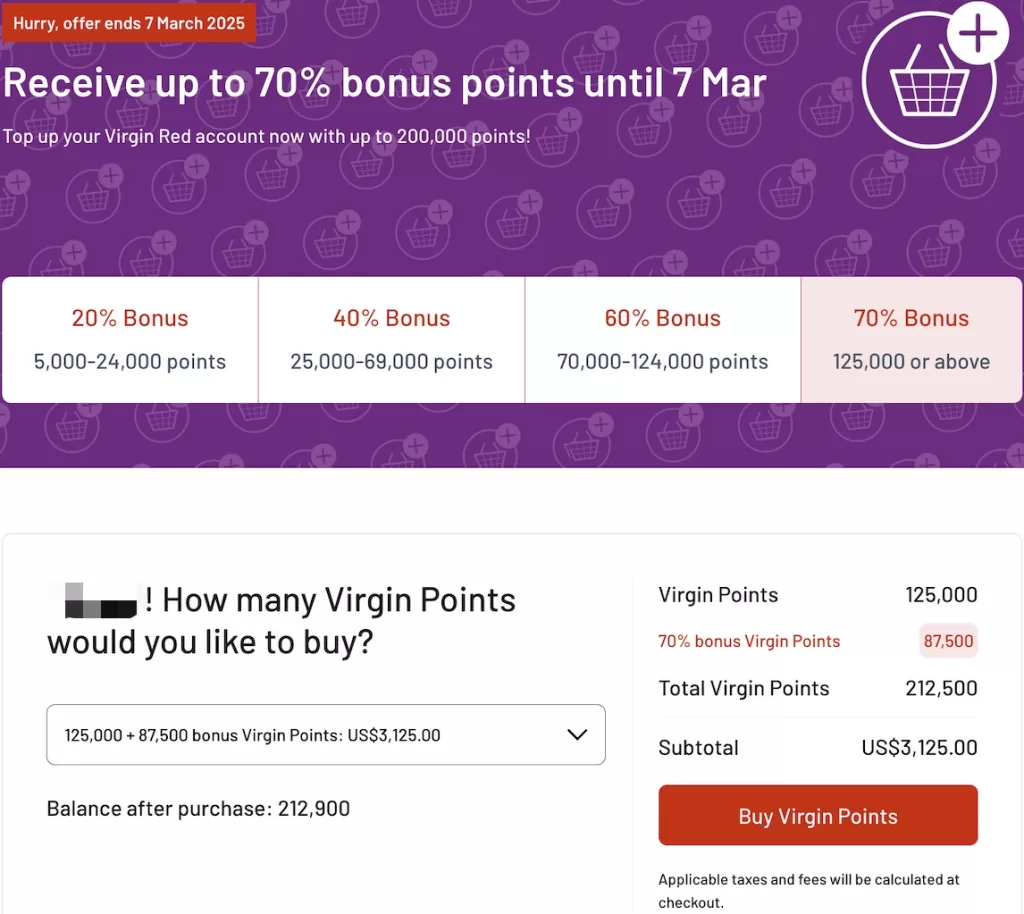
If the account address is in the United States, you pay in US dollars
Take the minimum purchase of 125,000 miles with a 70% bonus as an example. In US dollars the total is $3,125 plus a $15 fee, for a cost of 1.48 cpp USD
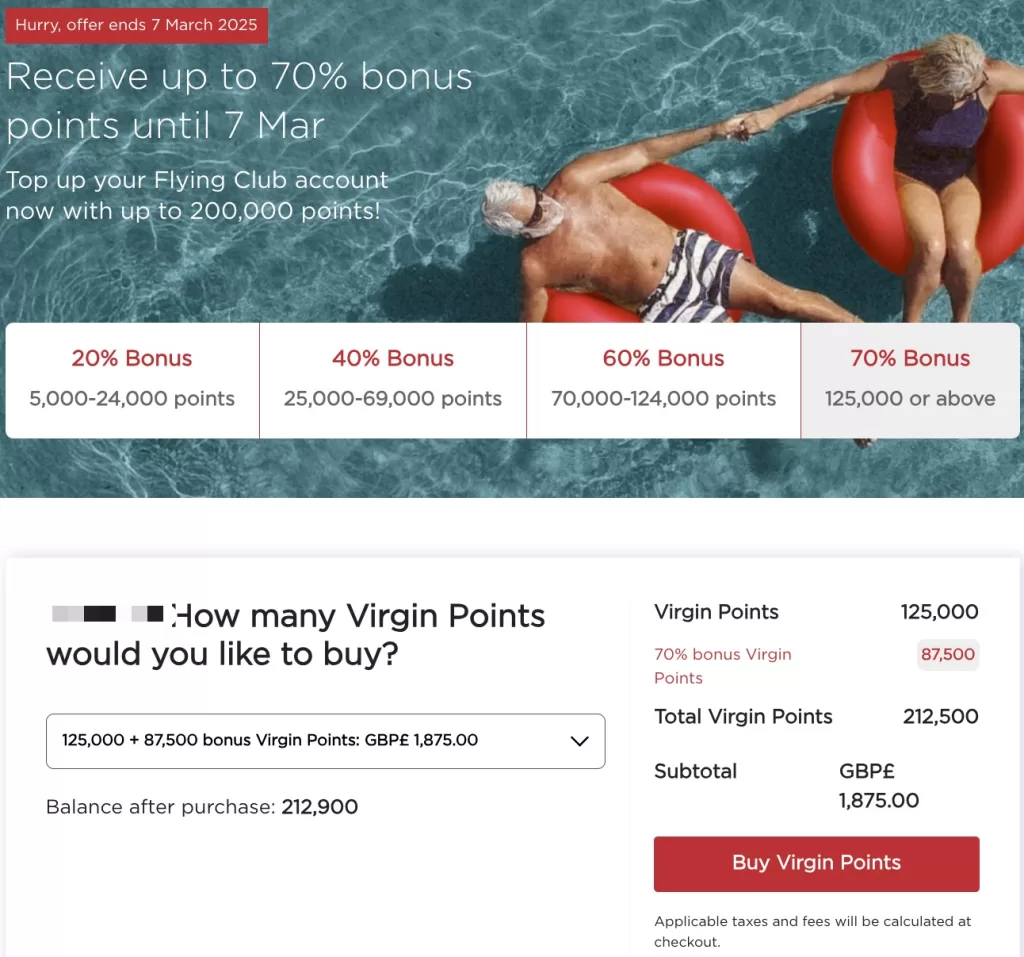
If the account address is in the United Kingdom, you pay in pounds
Take the same minimum purchase of 125,000 miles with a 70% bonus. Converted to US dollars, the total is $1,875 plus a $15 fee, for a cost of 1.11 cpp USD
That is 25% cheaper, just like that.
Changing the account address
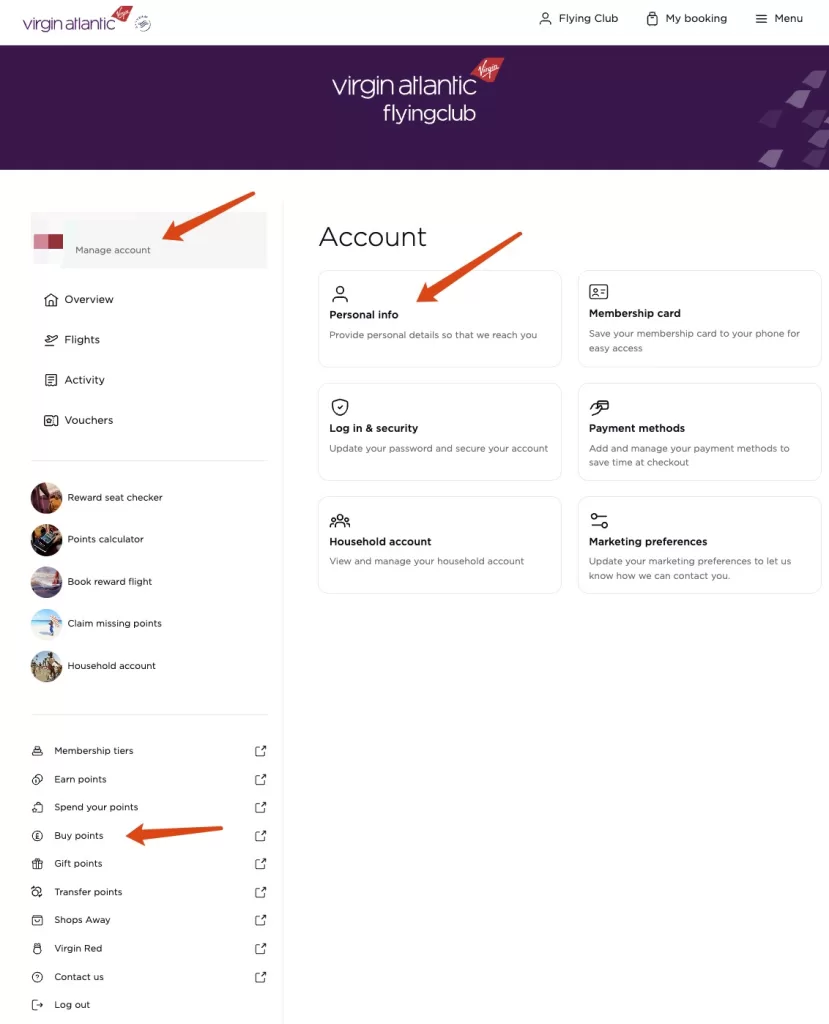
In a Virgin Red account you have to contact customer service to change the address; do not do it there. Go straight to your Virgin Atlantic online account, choose Manage account → Personal info, and enter a UK address
After the change, you can buy points from the left-hand sidebar and you will see the promotion priced in pounds.
Further reading
You will be paying in both US dollars and euros, so you need a card with no foreign-transaction fee and no currency-conversion fee. US cards have plenty of options; if you are limited to Canadian cards, see this post
From November 30, 2026, WestJet will serve a Tim Hortons Flight Roast on board, and from 2027 Tims Rewards members can link accounts to earn WestJet points on Tim Hortons purchases. This guide also covers elite status, earning and redeeming WestJet points, partner charts, and UltraBasic.
August 15, 2026 update: premium economy on North America–Hong Kong awards also devalued in the chart (east: 75k→78k; west: 50k→52k), after the May 1, 2026 chart change that raised business miles. This guide covers Cathay’s status tiers, partners, earning, and award charts.
As of October 5, 2026, Riyadh Air has opened Jakarta. Sfeer members booking the new route get Best Offer Guaranteed fares, Sfeer Points that never expire, 1 Level Point per SAR 1, and 10% off the Hafawa lounge. The Golden Ticket draw for Saudi residents runs through October 22, 2026.



Comments
Comments from a new email are reviewed before they appear.