

Flexiroam is a global mobile-data provider (it looks Hong Kong–based). It sells physical SIMs and eSIMs for travel in 150+ countries, and you can turn the service on once you arrive. Physical SIMs need payment and shipping. The free eSIM is the point of this post. Register through this link for an extra 200 MB: sign up here
Claim the free data
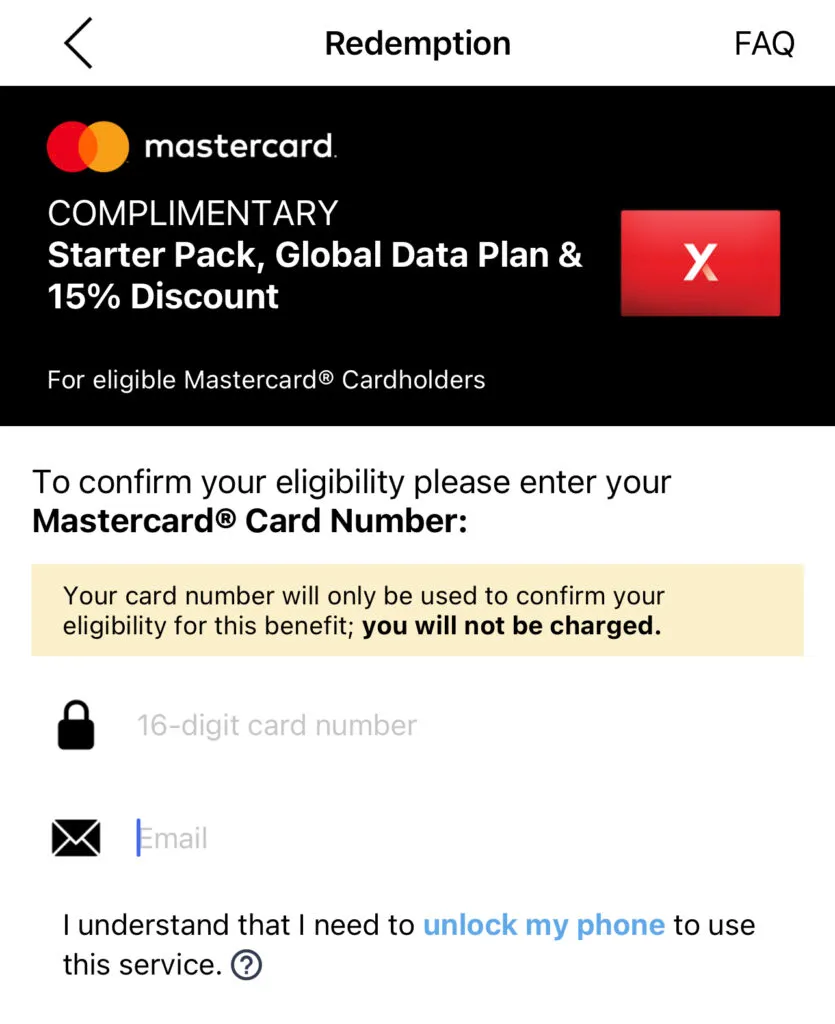
Download Flexiroam X from the App Store, register, sign in, then tap Check Eligibility. As of this writing, a Canadian Tire Triangle Mastercard can claim 15 days and 3 GB — even an expired card. BMO Mastercards can claim 5 days and 1 GB.
Set the APN
Install the eSIM in the app (an iPhone can hold five eSIMs and run two at once; mainland-China iPhones do not support eSIM — check your phone’s manual). Then activate it in the app.
After that, check the APN on your phone and set it to flexiroam.
On iPhone, for example: Settings → Cellular. Set Cellular Data to this line. Network Selection should match the network on Flexiroam’s site (China Mobile in China). In Cellular Data Network, set APN to flexiroam, and set Personal Hotspot to flexiroam as well.
Finally, turn on Data Roaming.
Bottom line
Speed still needs more data points. In China this is a roaming service, likely through a Hong Kong or Singapore company, so you should expect some latency. Throughput is ordinary but usable. The useful part is that you can reach the open internet — Gmail, YouTube, and the rest — without extra work.
This is a data-only plan with no phone number. That is fine in some countries. In China, where almost every app wants a local mobile number, you are better off getting a local SIM.
Further reading: Airalo, a global travel eSIM. I was in China around the same time and used an Airalo eSIM. It is paid. The upside is faster speeds and automatic switching between local networks. It also has no phone number.

Comments
Comments from a new email are reviewed before they appear.